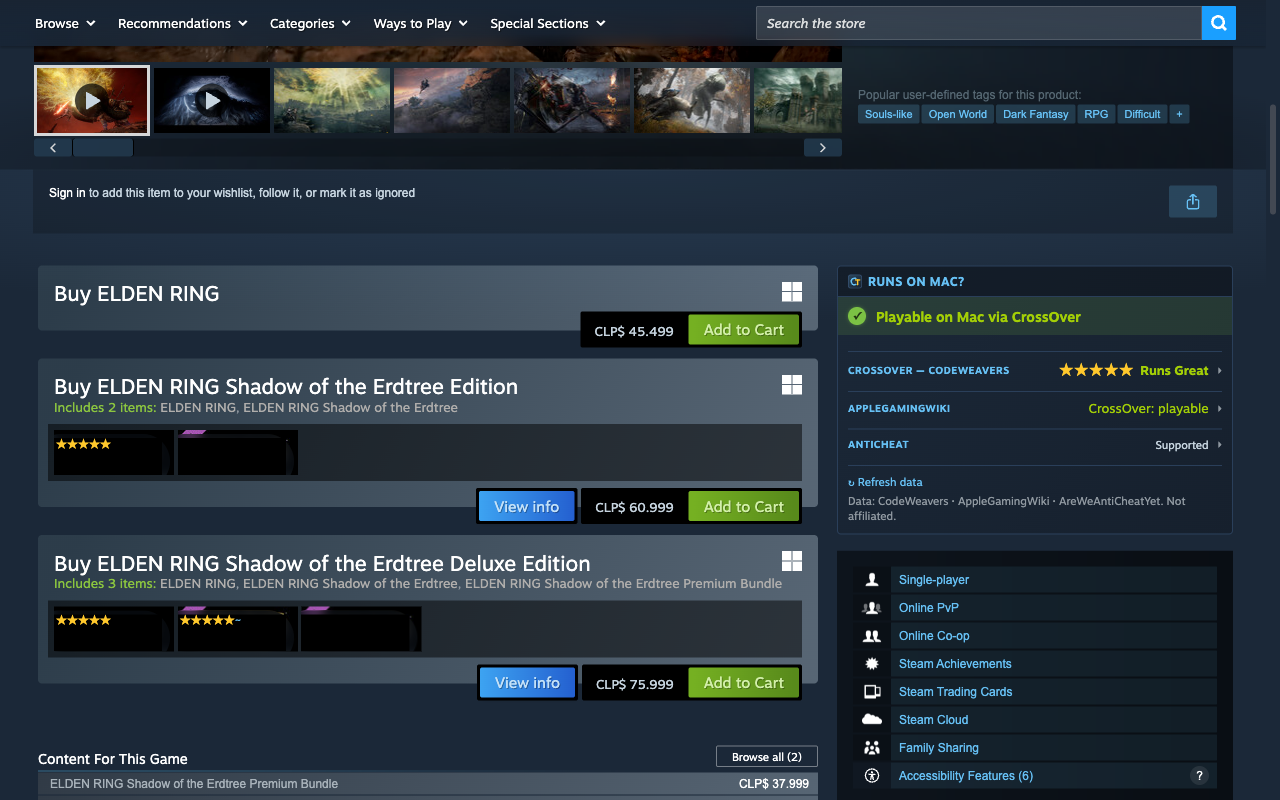
Verdict on every game page
A “Runs on Mac?” panel in the store's right column: verdict banner, per-source rows, the three latest CrossOver versions with stars, and direct links to each source.
A free, open-source extension that answers “Does it run on my Mac?” right on the Steam website — in Chrome, Brave, Edge or any Chromium browser.
Try it — pick a game:
Compatibility shows up wherever you browse Steam. Every surface can be switched off.
A “Runs on Mac?” panel in the store's right column: verdict banner, per-source rows, the three latest CrossOver versions with stars, and direct links to each source.
Game capsules on the front page, sales and category pages get a star overlay as they scroll into view — resolved ahead of time, so browsing stays smooth.
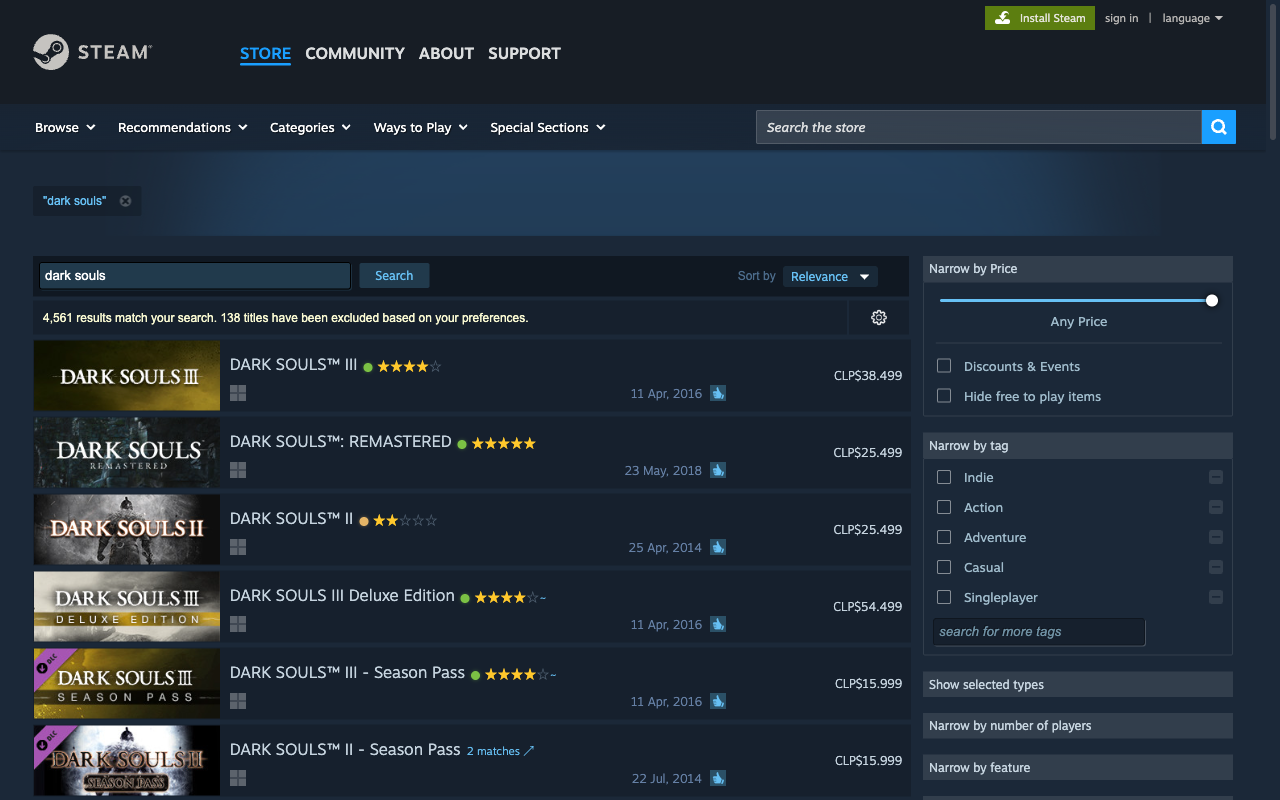
Search results, your wishlist and the Steam Community games list show compact rating badges next to each title — hover for a mini-card with the verdict and per-source details.
Games with a native Mac build get five stars and an architecture tag — M Series (Apple Silicon) or Intel (Rosetta 2 on M) — with no external lookups.
The active tab's verdict at a glance, a manual game lookup, quick surface toggles and cache stats.
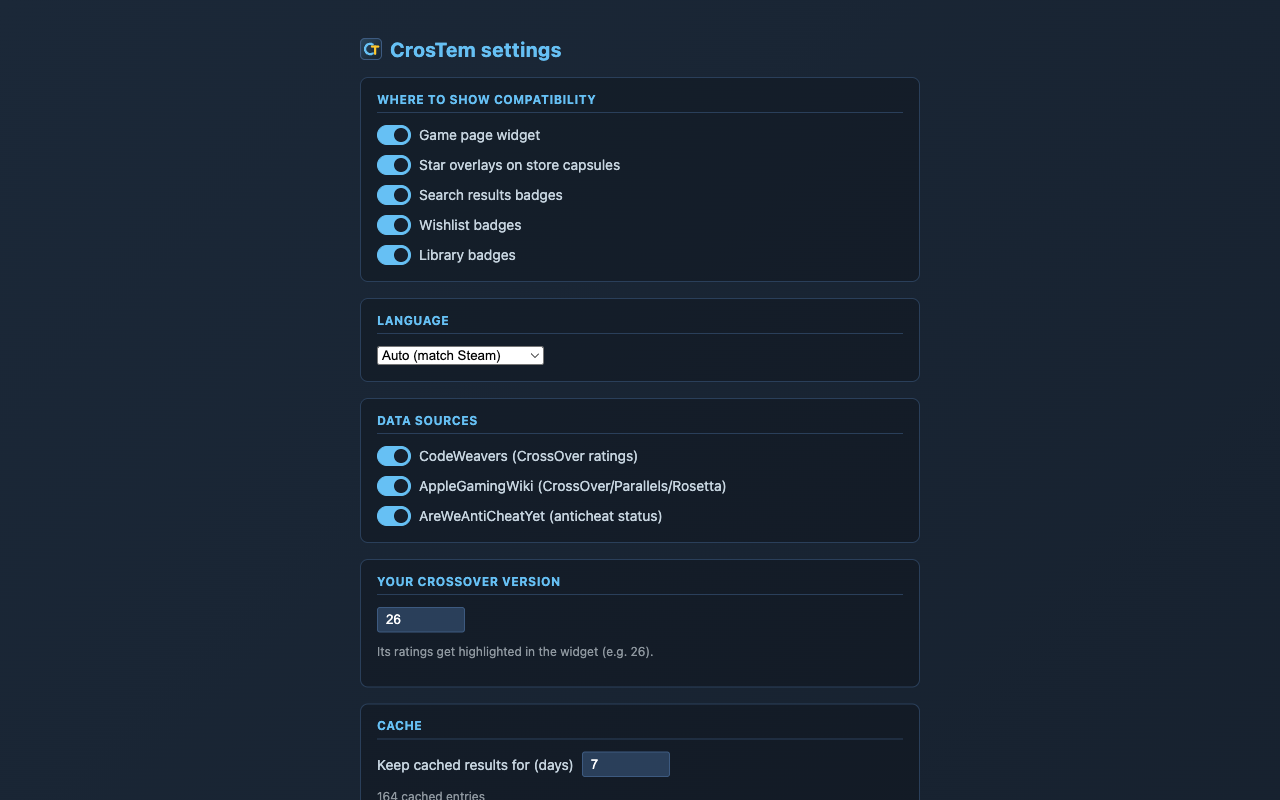
Toggle surfaces and data sources, set your CrossOver version, tune the cache — changes hit open Steam tabs immediately, no reload.


CrosTem for Mac puts the same verdicts inside the macOS Steam app — plus a whole-library scan and a menubar dashboard. Run either, or both.