
CrosTem for Mac
BetaA menubar app that puts verdicts inside the Steam client itself — and an Overview that tells you how much of your library runs on your Mac.
For you if you buy and play through the Steam app on your Mac.
CrosTem tells you before you hit Buy: one clear verdict on every game, drawn from CrossOver ratings, AppleGamingWiki and anti-cheat reports — in the Steam client on your Mac, or in your browser.
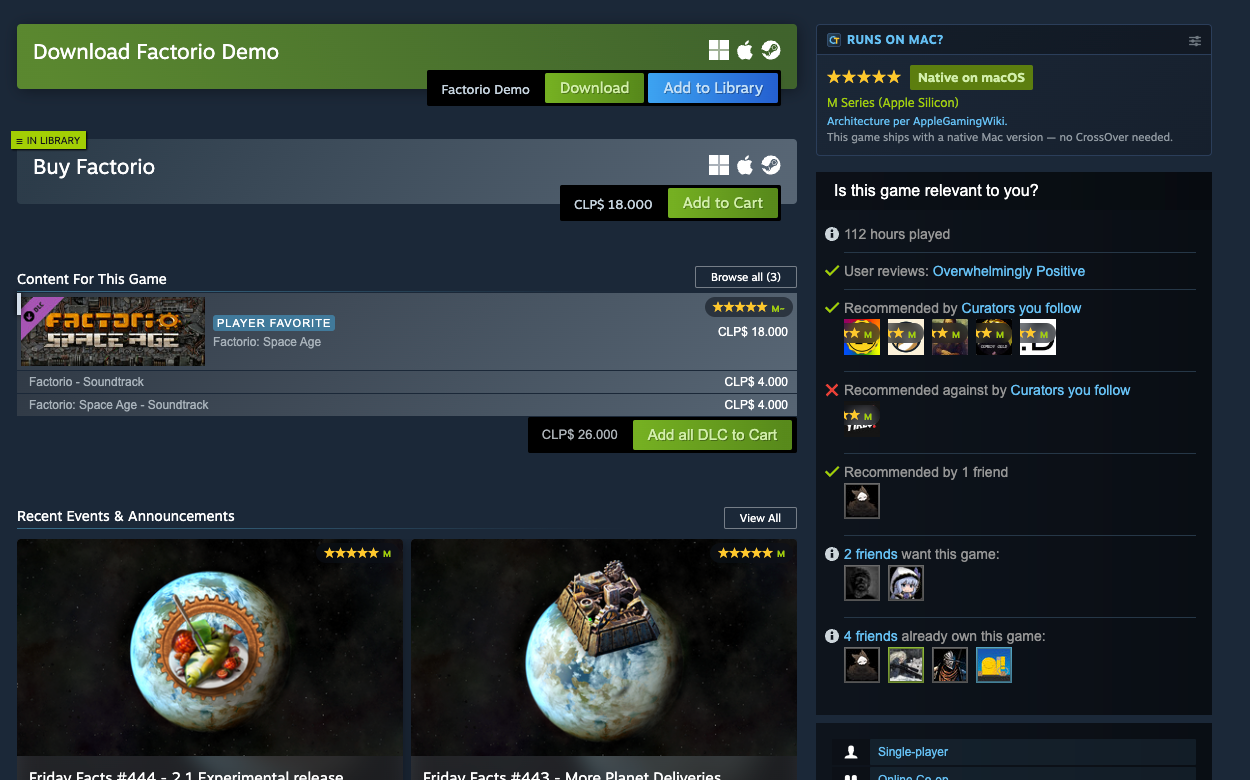
Checking one game used to mean CodeWeavers, AppleGamingWiki and an anti-cheat tracker — then reconciling their answers yourself.
Before
Three databases, three searches, three answers to reconcile — for every game on your wishlist.
With CrosTem
One verdict, already on the page you're looking at.
Same verdicts, same three sources — pick where you want them.
A menubar app that puts verdicts inside the Steam client itself — and an Overview that tells you how much of your library runs on your Mac.
For you if you buy and play through the Steam app on your Mac.

An extension that adds the same verdicts to the Steam website in Chrome, Brave or Edge — game pages, search, wishlist and capsules.
For you if you browse the Steam store in your browser.
No account, no setup — install it and the answer is just there.
The Mac app for the Steam client, the extension for Chrome, Brave or Edge — or both. Either way it's free, open source and ready in a minute.
Game pages, search results, sales, your wishlist — CrosTem looks up every game you see, quietly and in the background.
A conservative traffic light, with each source's raw status right below it so you can judge for yourself — before you hit Buy.
The privacy claims aren't promises — they're in the code, and the code is public.
Free software, forever. The license guarantees CrosTem stays free and open, whoever maintains it.
Every line that runs on your machine is on GitHub — the verdict logic, the caching, all of it.
The extension asks for one browser permission: storage. The Mac app keeps everything in one local folder. No tabs, no history, no accounts.
No accounts, no servers, no telemetry. CrosTem fetches public compatibility pages and caches them on your machine — that is the whole footprint.
Get the answer where you already are: in the Steam client on your Mac, or right on the store.